The Shopify checkout hijack came in through app settings
Follow one Checkout click through October's Shopify checkout hijack, hop by hop, and see which of your apps deserve a look before Black Friday.

In October, some shoppers pressed Checkout on Shopify stores and landed on a fake one. The Shopify checkout hijack came in through the settings of apps those stores had installed, not through Shopify’s own checkout.
One shopper caught it thanks to his password manager. Developer Roman Zipp noticed on Oct 10 that it was offering to put the name on his card into a field marked “First name.”
Here’s the clever part. A shopper who filled in that form was then sent on to the real checkout, and the order went through.
Security company cside took one case apart step by step. So let’s follow a single click through every hop it made. Each hop is a place your store trusts something it can’t see.
Hop 1: other people’s code runs next to your Checkout button
The button lives in your theme. The page around it also runs scripts from your apps: reviews, wishlists, upsells, pop-ups.
Any script on the page can listen for a click on that button. That’s normal, and usually harmless.
Hop 2: the app’s file came from Shopify, untouched
In the case cside traced, the app was Hulk Product Options. Its script loaded from Shopify’s own servers, and the file was never modified.
If you had inspected that file, you would have found nothing wrong.
Hop 3: then it asked the app maker’s server for settings
On each page load, the script called the app maker’s own server for its settings. The reply carried about 22.7 KB of extra code in a custom JavaScript field. The app ran it.
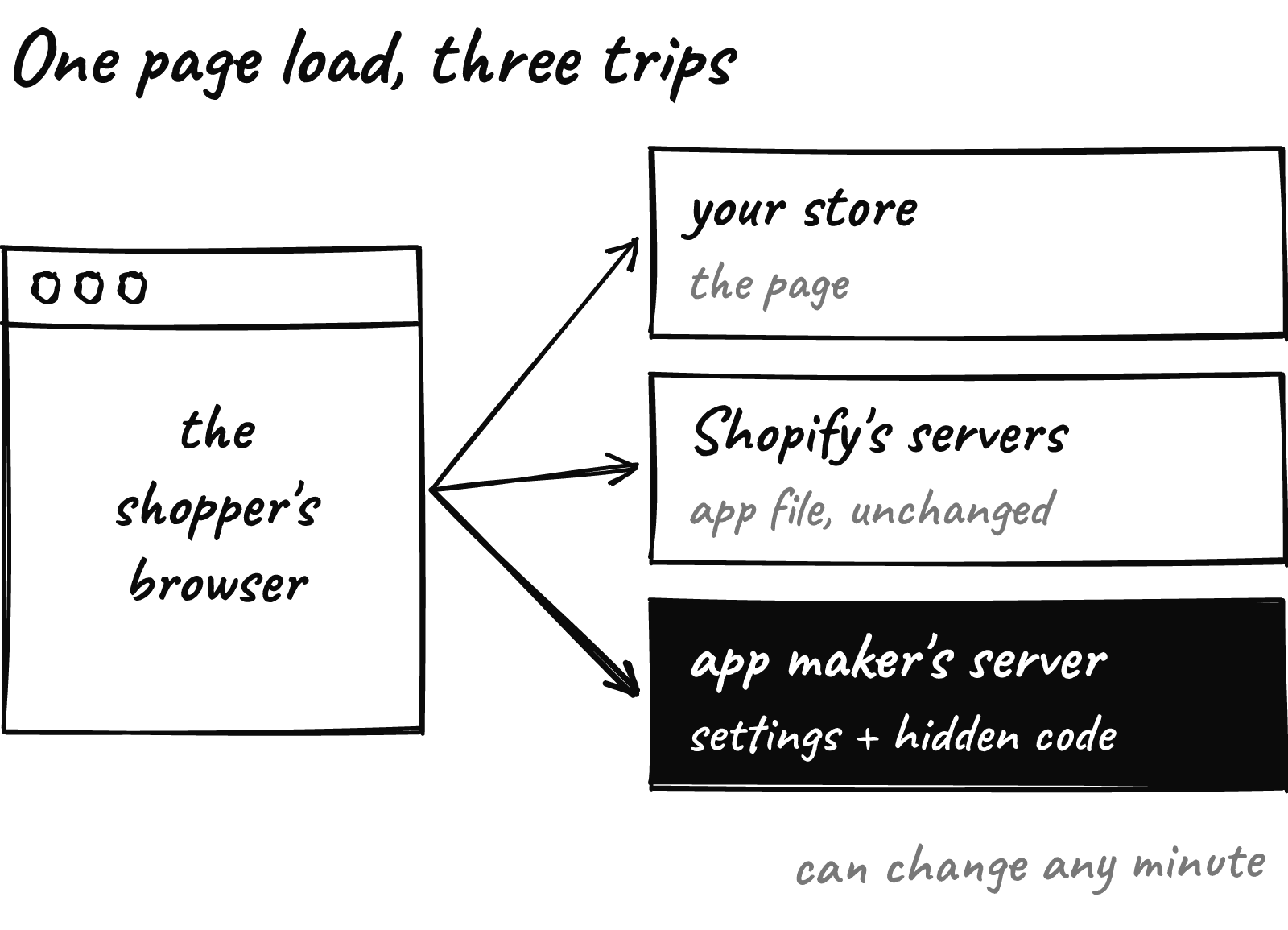
Settings are built to change without a new app release. That’s handy for the app maker. It’s just as handy for anyone who gets into the app maker’s tools.
That’s the pattern so far. The makers of Hulk Product Options, Selleasy and Swym’s Wishlist Plus have each confirmed that attackers changed their app settings. Selleasy’s maker said an intruder reached an internal tool and added a script to some stores’ settings.
Zipp lists other apps that left the App Store that month, and he cautions that a delisting alone doesn’t prove a compromise.
Hop 4: the click got cancelled and rerouted
The added code waited for Checkout. When a shopper pressed it, the code stopped the real page from opening and sent them to a lookalike checkout on another domain.
That page asked for card and personal details.
Hop 5: then the real checkout opened
Once the form was sent, the shopper went on to the genuine Shopify checkout. The script also marked the browser session, so it fired only once per visit.
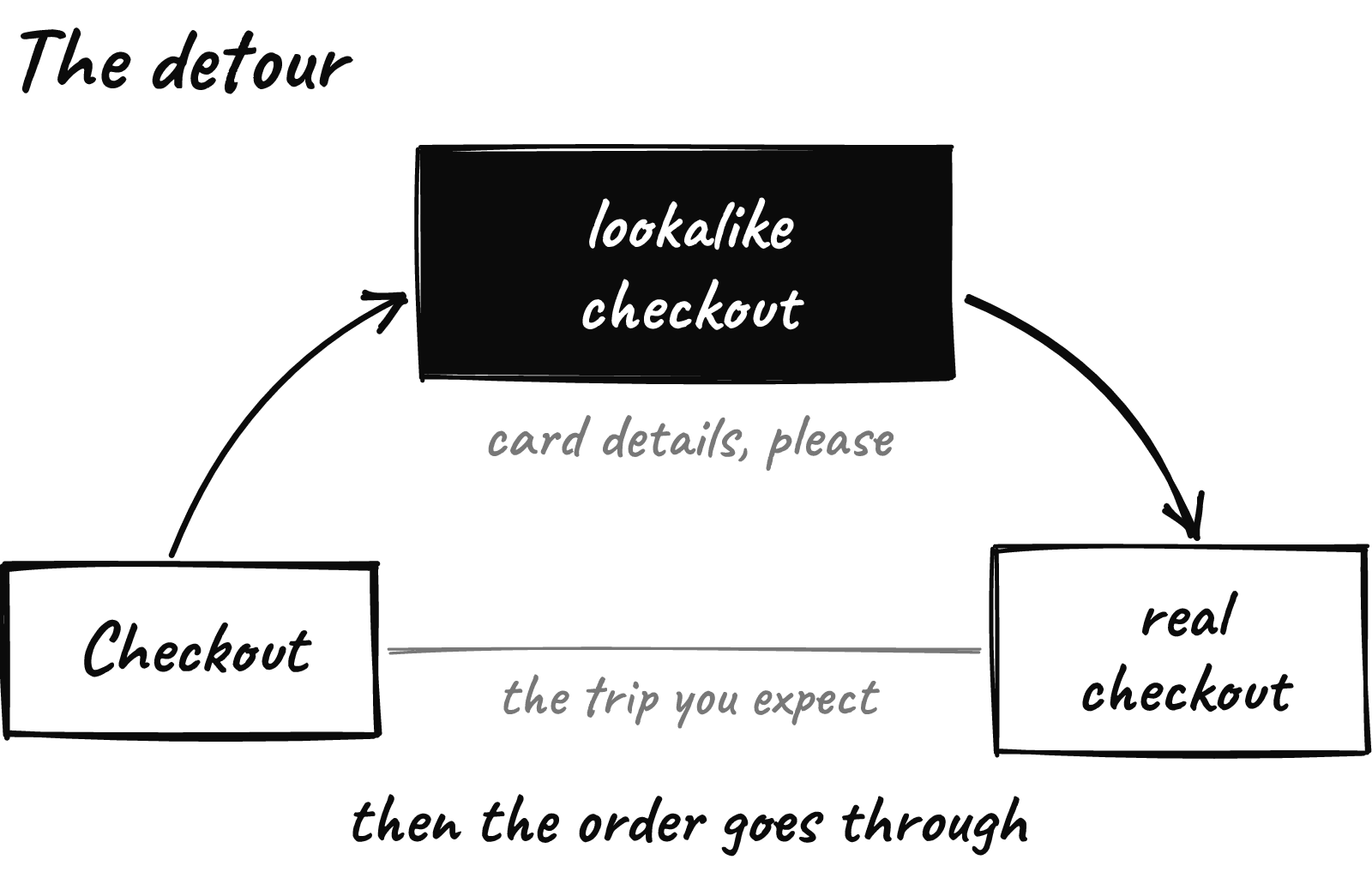
From the store’s side, nothing looked wrong. The order arrived like any other.
Try it tonight: private window, add to cart, press Checkout. Is the address bar still your domain or myshopify.com?
Shopify’s fix stops known bad addresses
On Oct 20, Shopify added protection against unexpected redirects. Since an Oct 23 update, links to sites Shopify has flagged as malicious are blocked, flagged suspicious ones ask the shopper first, and other outside links open with no message.
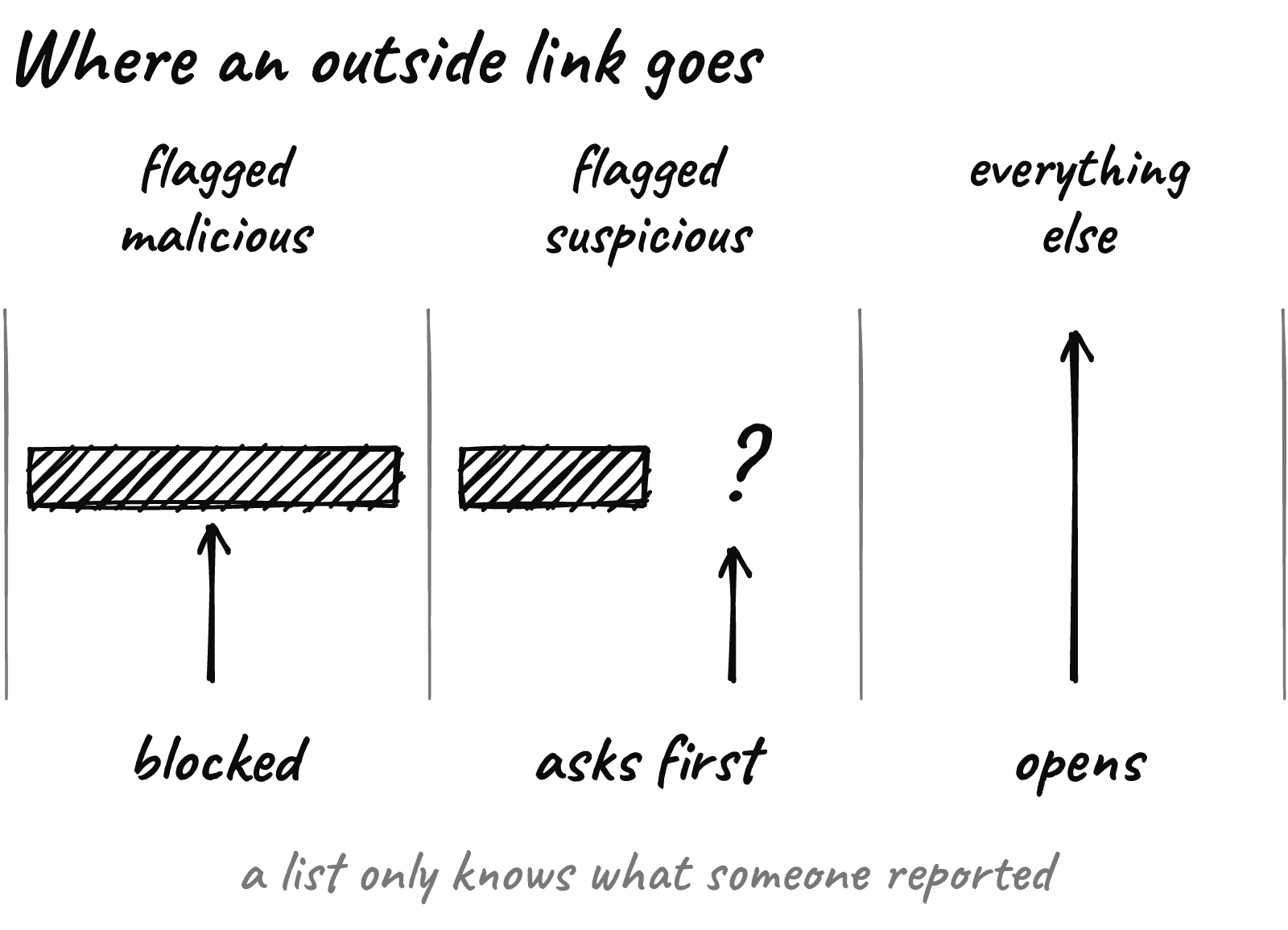
That’s a real improvement. A list still only knows what someone has reported, though. Zipp checked three of the attackers’ domains on Oct 10 and found none on Google Safe Browsing or URLhaus.
Shopify is also pushing app makers. On Oct 20 it asked every developer to act that week and to treat all rendered data as untrusted, server data included. On Oct 27 it set dates for a token change. From Jan 15, 2027, your admin will warn you about any app that missed it.

What to do this week
- Run the private-window test on a phone and a laptop, from the cart drawer and the cart page.
- Open App embeds in your theme editor and switch off what you don’t use. Uninstall apps you don’t need; some leave code behind.
- List every app setting that accepts custom code, like custom JavaScript or HTML, and who can change it.
- Turn on two-step login for Shopify and every app maker’s dashboard, and remove old staff and collaborator access.
- If you find a redirect, save evidence first: screenshots showing the address, a HAR file, the time. Then disable the app and contact the app maker, Shopify Support and your payment processor.
Fewer apps means fewer servers you trust. Sometimes one custom build replaces three of them, and the best time to make that swap is before your BFCM code freeze.
Want a second pair of eyes on your store before Black Friday? Send us your store URL and within 24 hours we’ll send back a free report on your speed, checkout and conversion.