Google’s Universal Cart is live. Is your store actually in it?
A hand-drawn flowchart for Shopify and Magento brands: will your products land in Google's Universal Cart, and what to fix this week.


Google’s Universal Cart went live in the US on October 15. Shoppers can save products from different stores into one cart inside Google Search and the Gemini app, then get a ping when a price drops.
Your products are either in that cart or they aren’t.
Nobody emails you to say which.
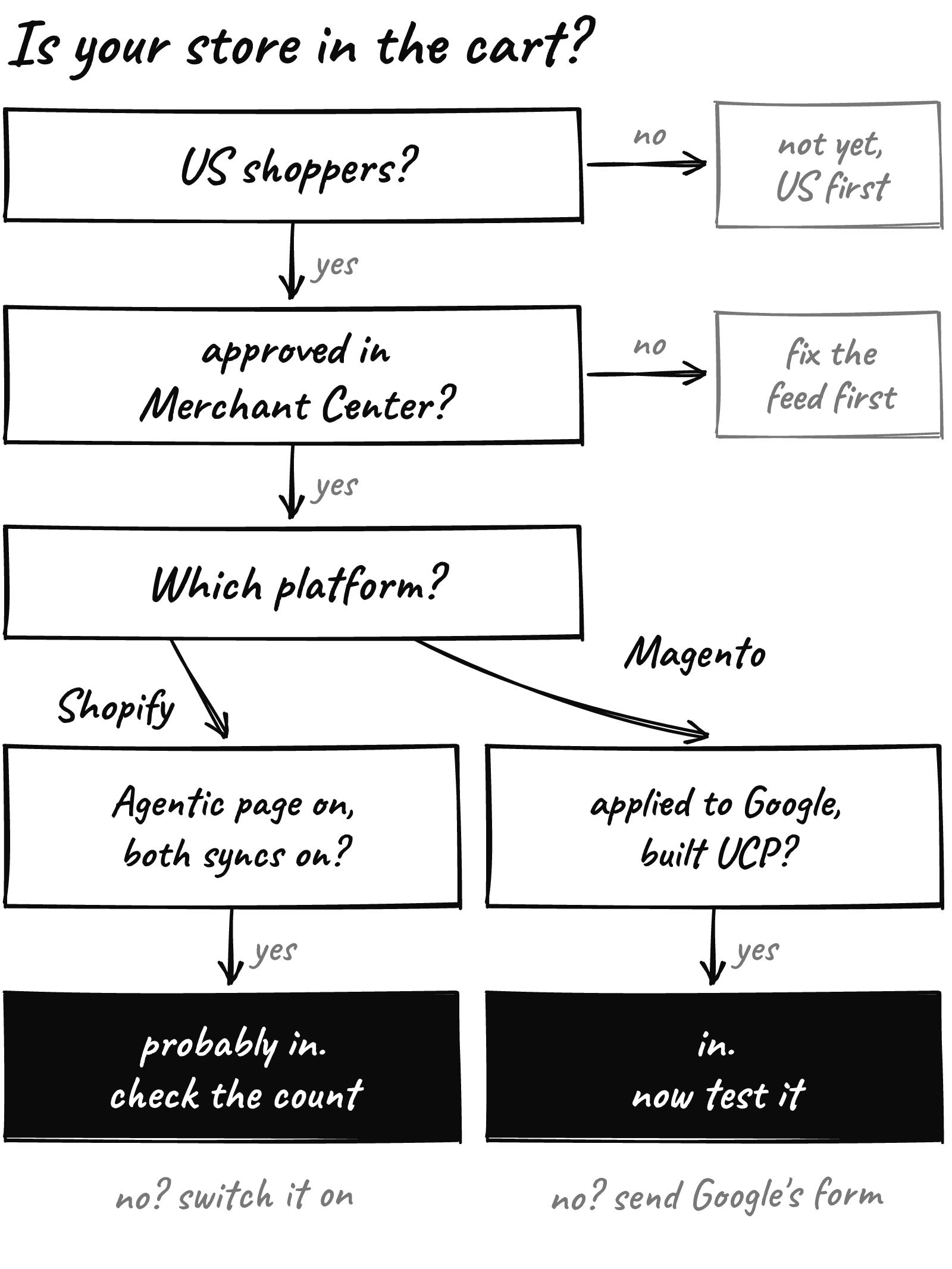
Google named Nike, Target and Walmart among the launch stores, plus “many Shopify merchants.” So here is the flowchart we’d walk a Shopify or Magento brand through, one box at a time.
The cart shops in the US first
Universal Cart launched in the US only. The merchant tools behind it are rolling out to US stores first, with Canada and Australia expected early next year, Google says.
If most of your buyers are American, keep going.
No Merchant Center feed, no cart
The cart runs on Google’s Shopping Graph, which Google says holds more than 60 billion product listings. Your listings get into it through Google Merchant Center.
So the first real box is boring, and it decides everything. Are your products approved in Merchant Center?
Open it and look at anything disapproved or limited. Start with your top 20 sellers, because those are the products people actually save.
Google also claims that merchants who follow its core feed best practices see conversions rise 5% on average the month after. That’s Google’s number, not ours, but a clean feed is cheap either way.

On Shopify, the switch is probably already on
Shopify’s help docs don’t use the words Universal Cart. What they do document is direct checkout inside Google AI Mode and Gemini, the same places the cart lives.
That setting sits under Sales channels > Agentic, and it’s on by default for eligible stores. Three things have to line up:
- A feed into Merchant Center, through the Google & YouTube channel or another feed.
- Both syncs on in that channel: automatic product sync and automatic shipping sync.
- Your policies filled in: terms of service, privacy policy, and a return and refund policy that matches what Merchant Center shows.
Shopify says it’s still rolling out, so it may not be live on every store yet. The Agentic page shows how many of your products are eligible. That count is your real answer.
Open Sales channels > Agentic today. If the eligible count is far below your product count, that’s your Friday.
We covered the wider agent picture last week. This box is the Google-shaped part of it.
On Magento, you have to raise your hand
If you run Magento or Adobe Commerce, the path runs through Google’s own early access program. Its help page says the checkout feature is open to “select merchants at this time.”
The steps, from Google’s guide:
- Submit the interest form and meet Google’s requirements.
- Build the UCP endpoints, or have your developer or extension vendor build them.
- Test in the integration hub, under Settings > UCP integration in Merchant Center, then declare you’re ready.
If an outside platform or provider runs part of your stack, Google’s advice is to ask them about their UCP plans directly.
Then choose how shoppers leave the cart.
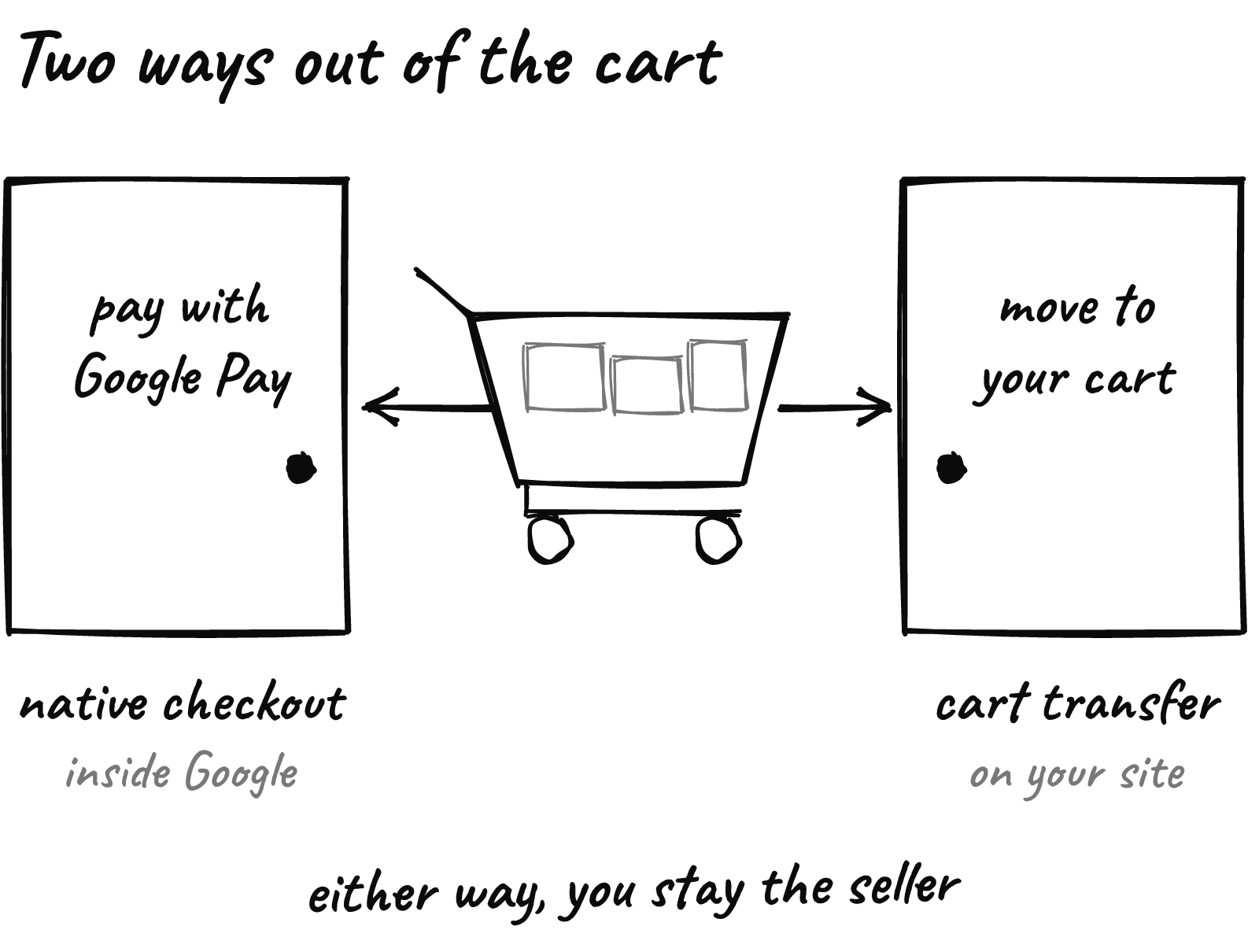
Native checkout keeps the shopper inside Google and they pay with Google Pay. You need a Google Pay & Wallet Console account, your payment provider may need to onboard to Google Pay, and only listings marked with Google’s native_commerce attribute get the Buy button.
Cart transfer moves their items into your own cart, and they finish on your site. Google added it to the hub in September.
Our view: for most Magento brands, cart transfer is the gentler first step. Your checkout, your payment setup and your upsells stay where they already work. If you’d rather not build the endpoints in-house, that’s work we do.
Getting in is the easy part
The cart’s best trick is watching. Google says it tells shoppers when a saved item drops in price or comes back in stock.
That makes a saved item a small promise. A shopper is telling you what they’d buy, at the right price, before you’ve run a single ad.
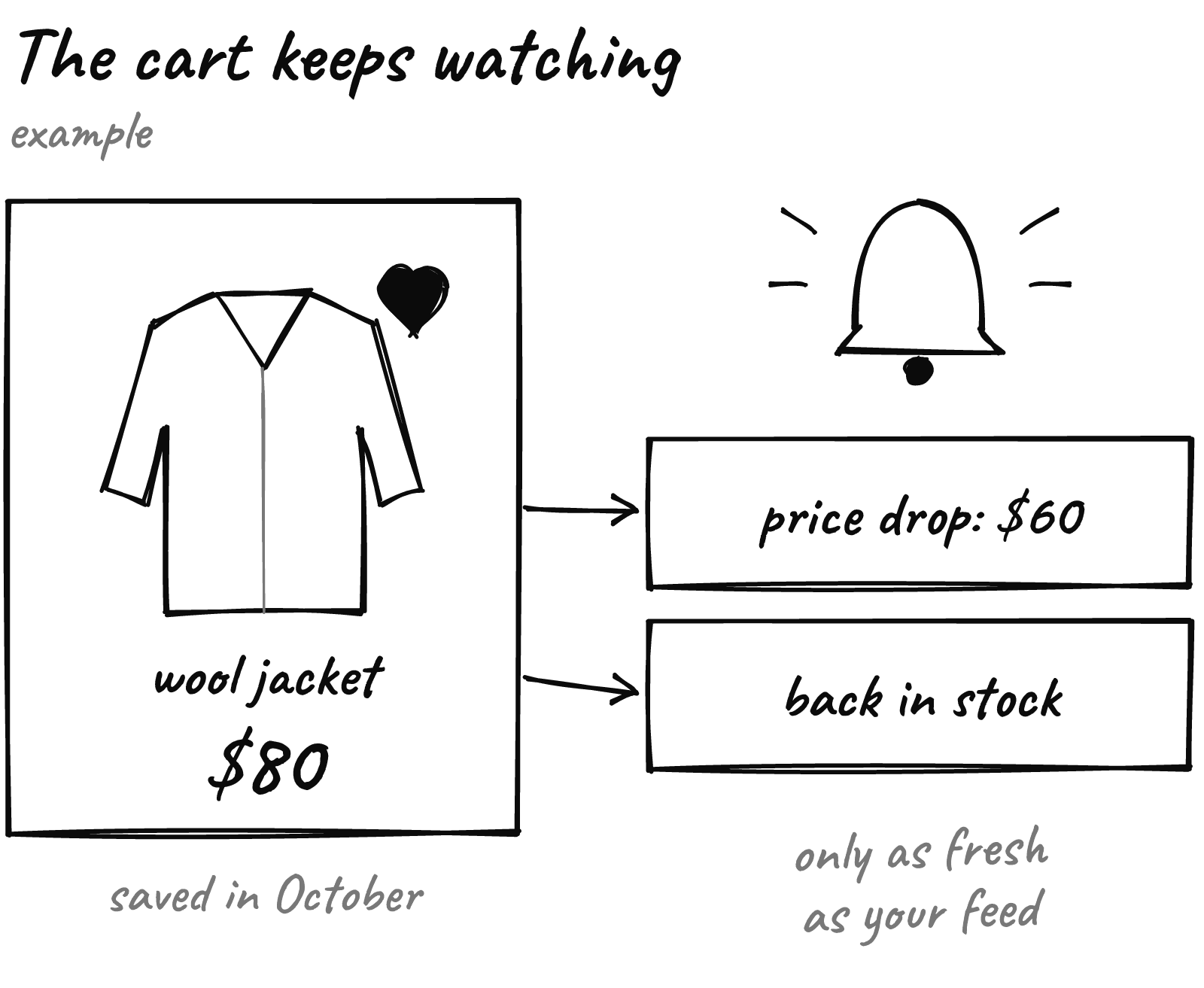
But the cart can only tell them about the price and stock Google knows. If your Black Friday price shows on your site and lags in your feed, you lose the moment you were promised.
So treat your feed like a storefront this month. Prices, sale prices and stock should change in Merchant Center the same day they change on your site.
What to do this week
- Open Merchant Center and clear disapprovals on your top 20 sellers.
- On Shopify, check Sales channels > Agentic and the eligible product count.
- On Shopify, confirm automatic product and shipping sync are on in the Google & YouTube channel.
- On Magento, submit Google’s interest form and ask your developer what cart transfer would take.
- Change one sale price on your site, then check how long it takes to show in Merchant Center.
Shoppers are already filling Google’s cart. Make sure your products can get in it.
Not sure which box you’re in? Send us your store URL and within 24 hours we’ll send back a free report on your speed, checkout and conversion.