A 30-day holiday return policy can run out before Christmas
Amazon made its holiday return policy permanent. Here's the one line on your product page that answers it, before and after.


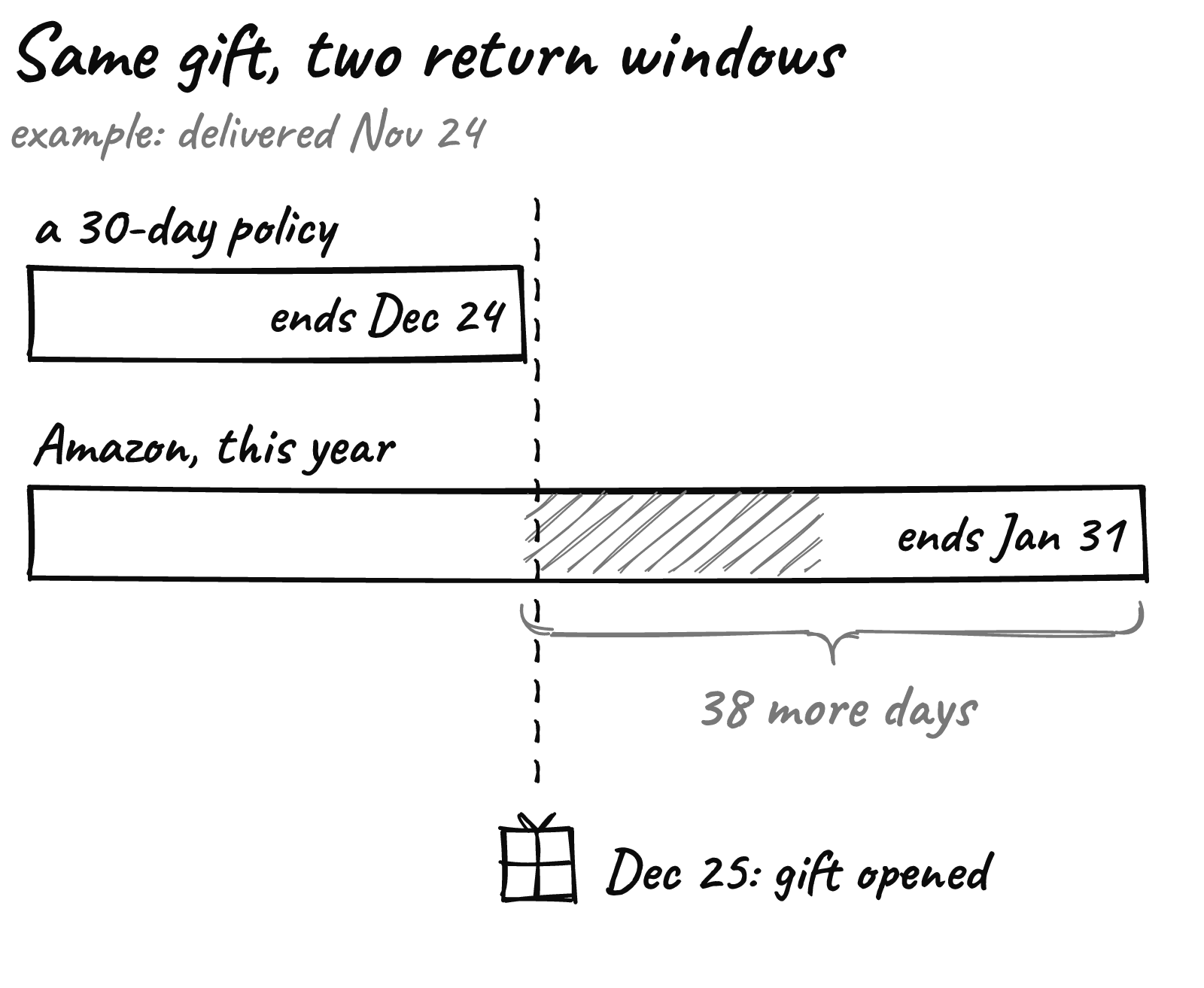
Say a shopper orders a sweater on November 20 and it lands on November 24. On a 30-day holiday return policy, her window closes on December 24, the day before the gift gets opened.
That’s an example, but the math is simple: on a 30-day policy, anything delivered before November 25 runs out before Christmas.
And this year the comparison sits one tab over. In a post to its sellers on October 15, Amazon said anything bought on Amazon.com from November 1 to December 31 can go back until January 31, 2027. Apple products stop at January 15. It also said the policy now applies every year.
Amazon calls its return window a traffic tool
Amazon didn’t dress it up. The seller post says the longer window is meant to “strengthen customer traffic during the year-end shopping season.”
Walmart’s marketplace starts even earlier. Most items bought from October 1 to December 31, 2026 can go back through January 31, 2027, says its seller release notes.
Google reads it the same way. Its Merchant Center guide calls return policy a key factor when people decide to buy, and may show yours on Shopping ads, free listings and Gmail.
So this month, your holiday return policy isn’t a back-office rule. It’s part of the offer.

Before: a rule written for the store
Here’s a buy box you’ve probably seen.
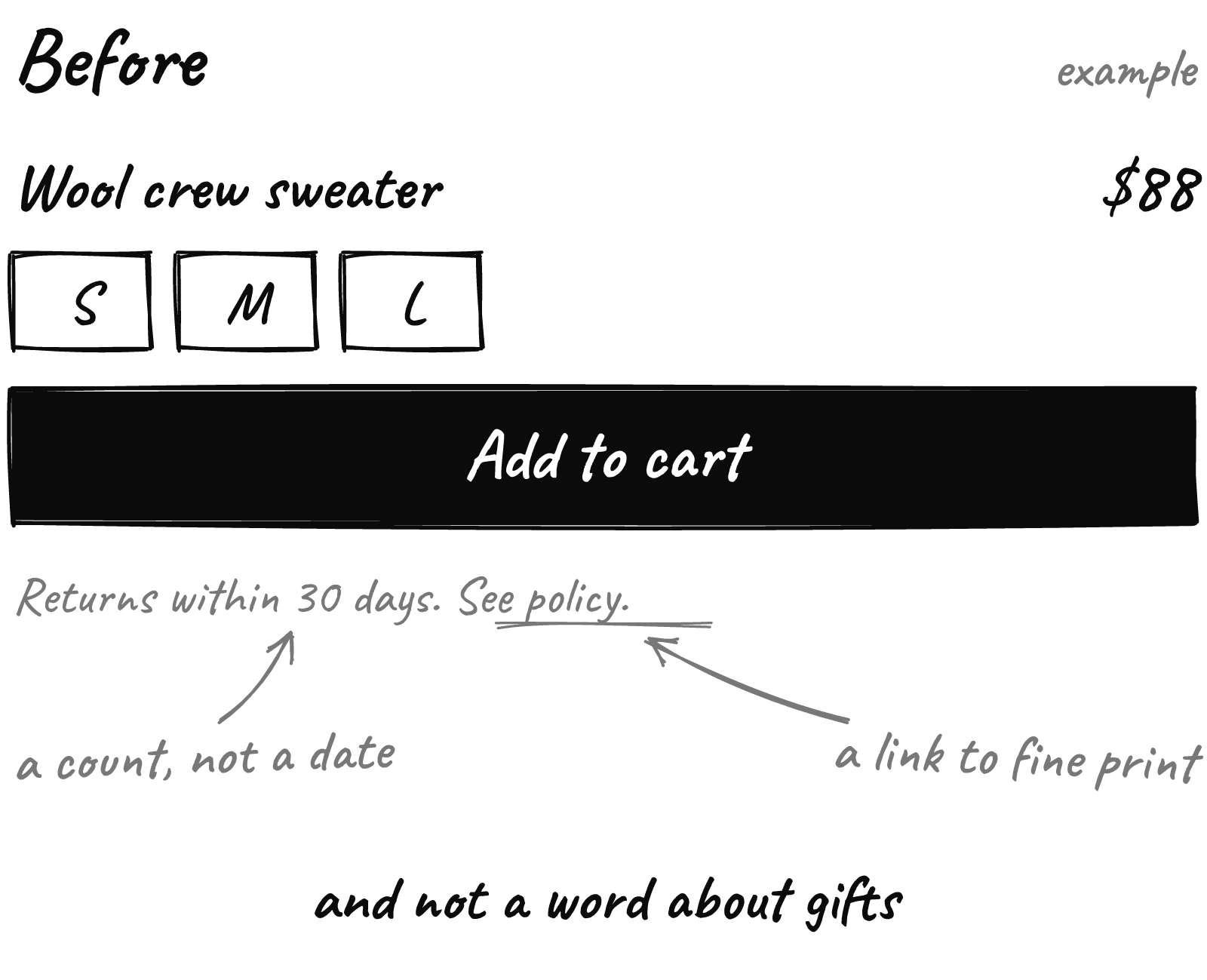
It’s accurate. It’s also no help.
A gift buyer has one question: can they send it back after Christmas? “30 days” asks her to count from a delivery date she doesn’t know yet. “See policy” opens a page of legal text she won’t read on a phone.
So she doesn’t count. She buys where she already knows the answer.
After: a date written for the gift buyer
Same box. One line changed.
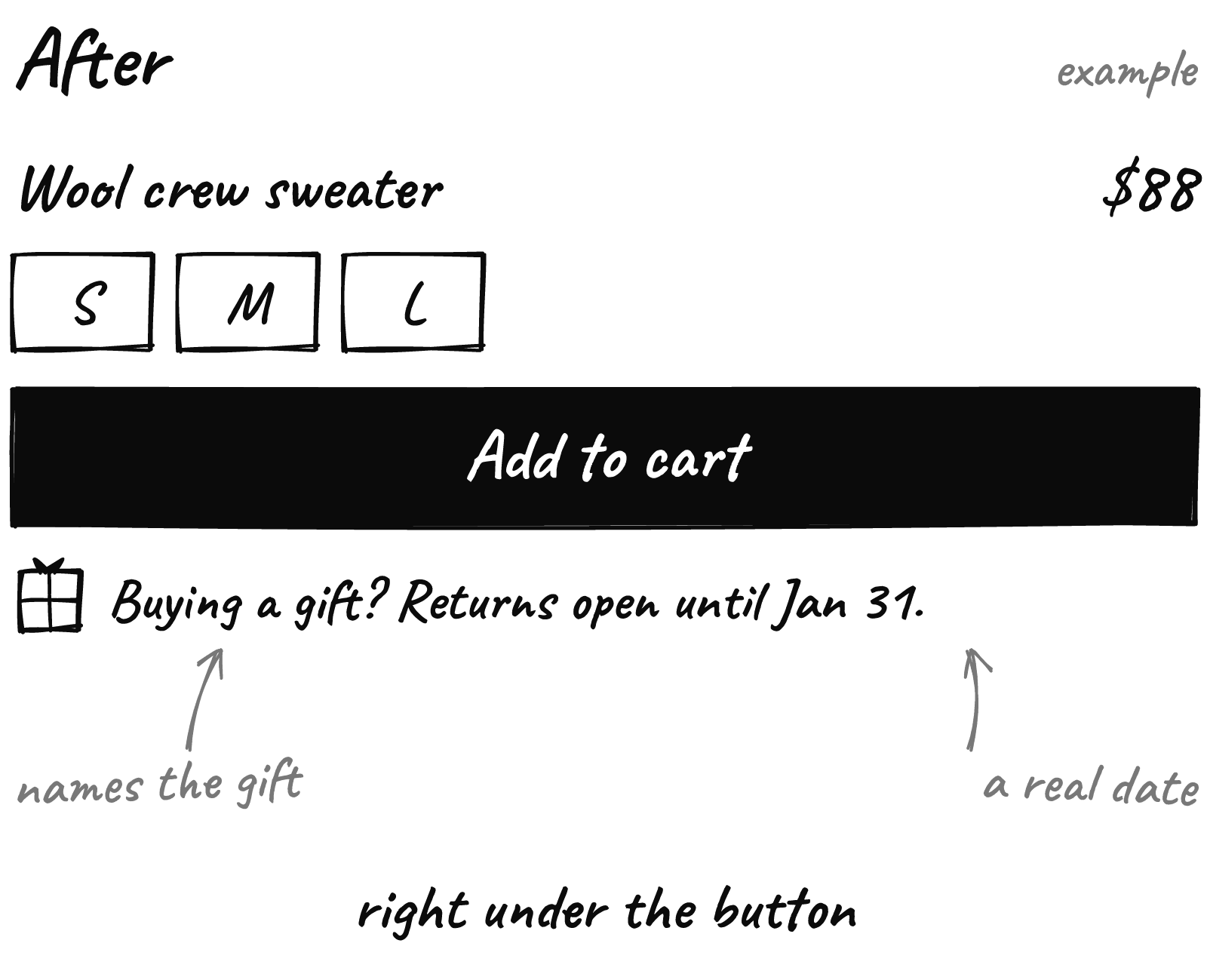
Three things changed:
- A date, not a count. January 31 needs no math.
- It names the gift. The shopper sees her exact situation.
- It sits under the button. That’s where the doubt shows up, so that’s where the answer goes.
Then keep the small print honest. In a 2025 US survey by Radial and Two Boxes, 61% of consumers said return fees would make them less interested in shopping with a brand again. If you charge for returns, say so up front, never as a surprise.
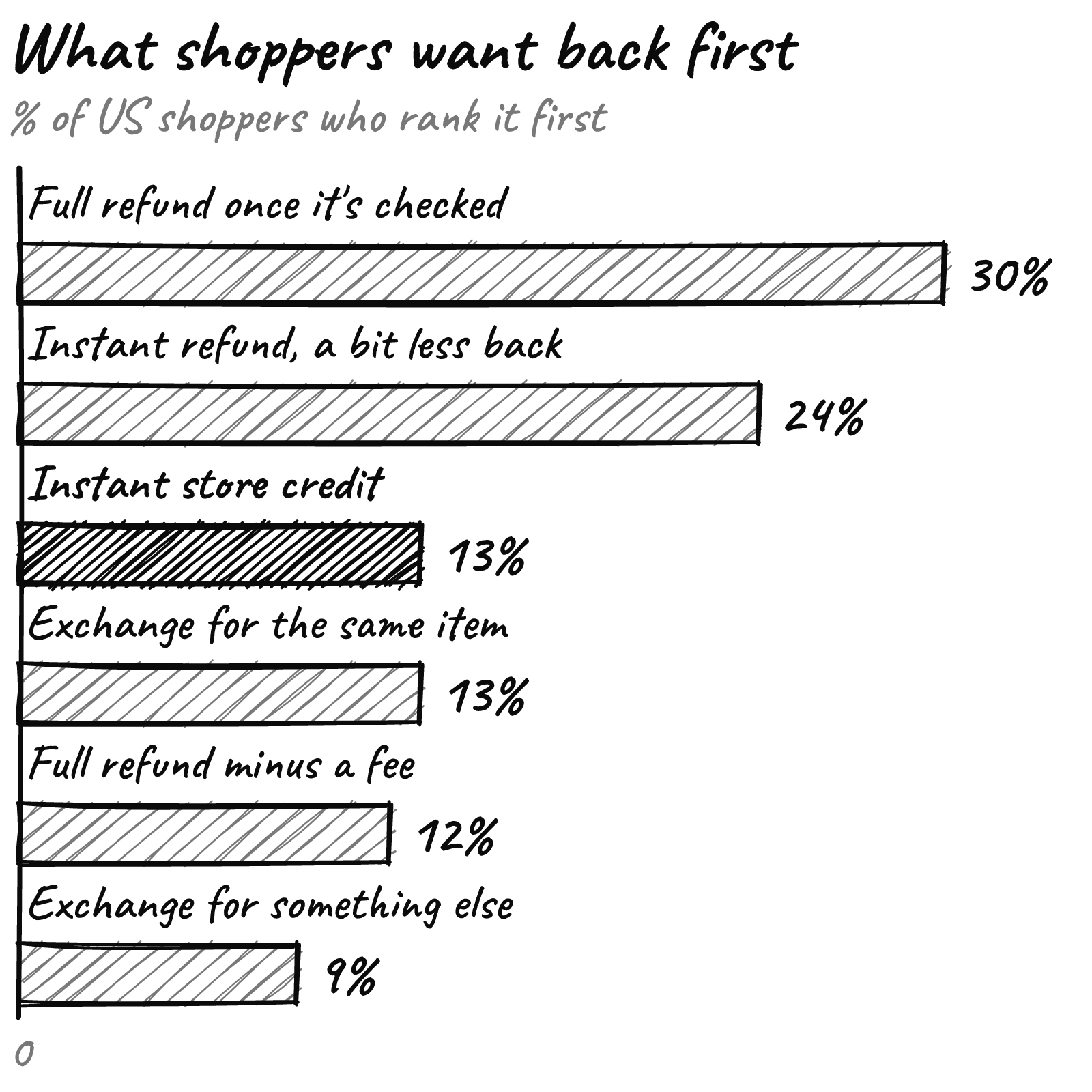
The same goes for store credit. If late returns come back as credit only, put that in the line too, because few shoppers pick it first.
Write a date, not a number of days. Nobody does date math on a phone.
Make the promise true before you print it
The line is the easy part. The rules underneath have to match it.
On Shopify, return rules count days from delivery, not up to a calendar date, and a rule change only applies to future orders, says Shopify’s guide. So set a custom window long enough to carry your earliest holiday delivery to January 31, then switch back to your normal window on January 1.
December buyers keep the window they were promised, and their windows will run past January 31. Call it the price of a clean promise.
For anything you can’t take back late, like personalized pieces or deep clearance, use Shopify’s return window overrides or mark them final sale.
Yes, this costs something. More returns land in January, when cash is tight. That’s why the exclusions matter.
On Google, a Merchant Center return policy can carry a holiday window extension: a date range and a “no later than” date. Google also wants your policy to match across Merchant Center and your site, per the same guide.
Set a reminder for January 1: switch the return window back.
Then make the policy page, the cart and the order confirmation email say the same thing. If your theme makes that fiddly, we can help with the product page.
What to do this week
- Do the math for a November 20 order under your current policy. If it closes before Christmas, you have a gap.
- Pick your holiday window and your exclusions, in writing.
- Update your Shopify return rules and policy page so they match.
- Add the window extension in Merchant Center so Google shows the same date.
- Put one line under Add to cart, then check it on your phone, in the cart and in the confirmation email.
Your shoppers are already comparing return dates. Make yours the easy one to read.
Want a second pair of eyes on your product pages before the rush? Send us your store URL and within 24 hours we’ll send back a free report on your speed, checkout and conversion.