Most of Shopify’s Fall ’26 Edition can wait until January
We sorted Shopify's Fall '26 Edition into three piles: do it before Black Friday, test it in January, and skip it for now.


Most of Shopify’s Fall ’26 Edition can wait until January. A few items change what AI agents tell shoppers about your store and how your apps connect to it, and those deserve an hour before Black Friday.
The Edition landed at the end of October. It runs to well over a hundred updates across eleven sections, from Sidekick to point of sale.
Black Friday is November 27.
So we read the whole thing and sorted it into three piles, using one rule.
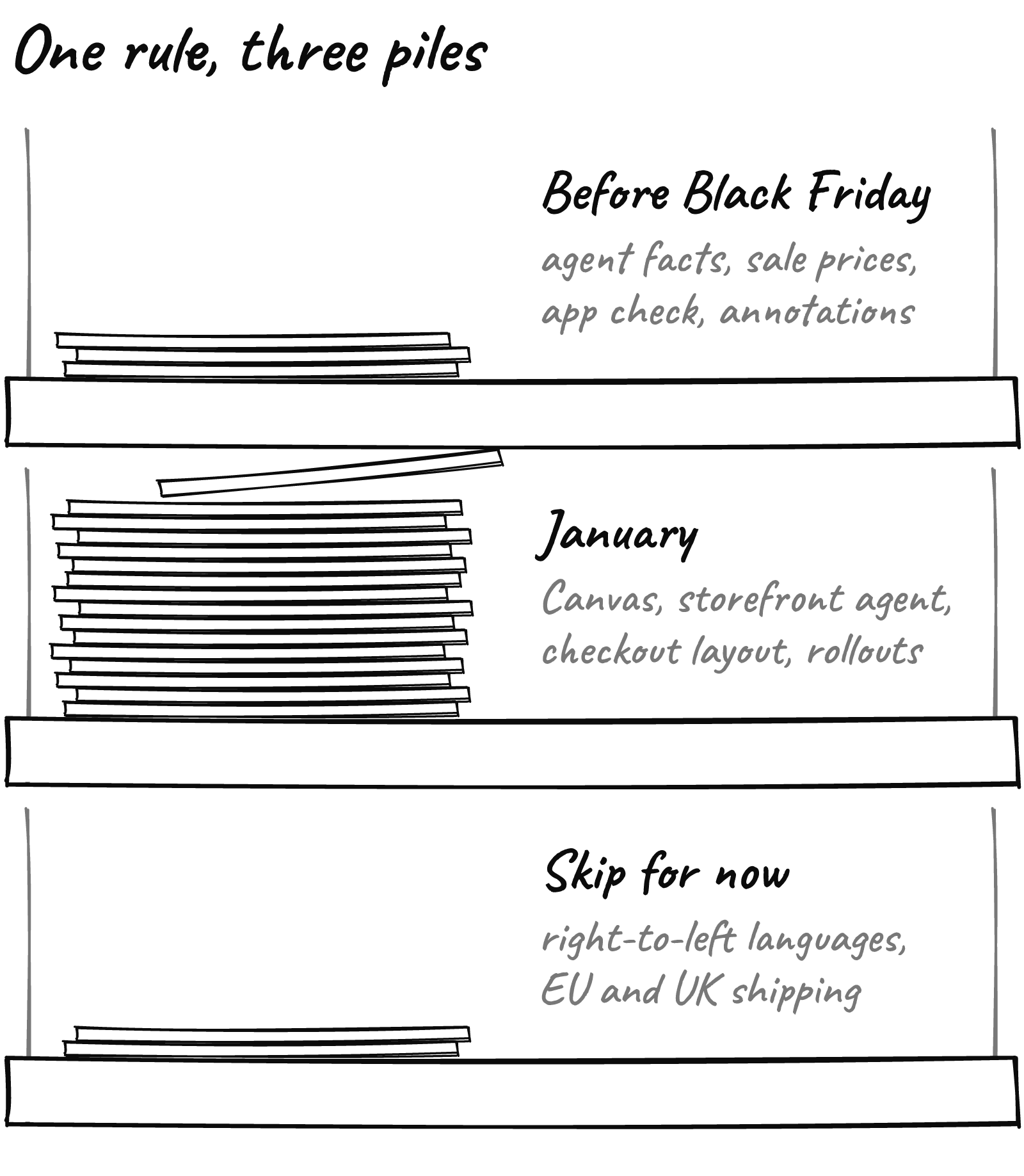
The rule: if you can undo it in one click, it can go in before Black Friday. If a shopper sees it at checkout, it waits.
Agents will quote your store facts, so approve them now
Shopify now keeps a knowledge base of store facts that AI agents use for anything that isn’t a product: shipping, returns, gift services, contact details. Its help doc calls it the “source of truth for AI agents” for that information.
You’ll find it under Sales channels > Agentic, then Knowledge Base in the Sources section.
Shopify scans your storefront and offers suggested updates. It never changes a fact without your approval.
So a suggestion nobody approved does nothing, and a stale published fact is what the agent repeats.
Read every published fact as if a shopper asked it in a chat on Thanksgiving night. Start with returns and gift services. If you stretched your holiday return window, as we suggested in our returns post, the agents should know it too.
Your markdowns can reach agents, if the price field is right
The Edition says AI shopping agents can now see your compare-at price through Shopify Catalog, “with no extra setup.”
The help doc shows a List price setting on the Catalog’s Channel mapping page, inside the Agentic channel, with two choices: Price or Compare-at price. Pick compare-at and agents “might use the list price to advertise strikethrough pricing,” as long as it’s higher than the current price.
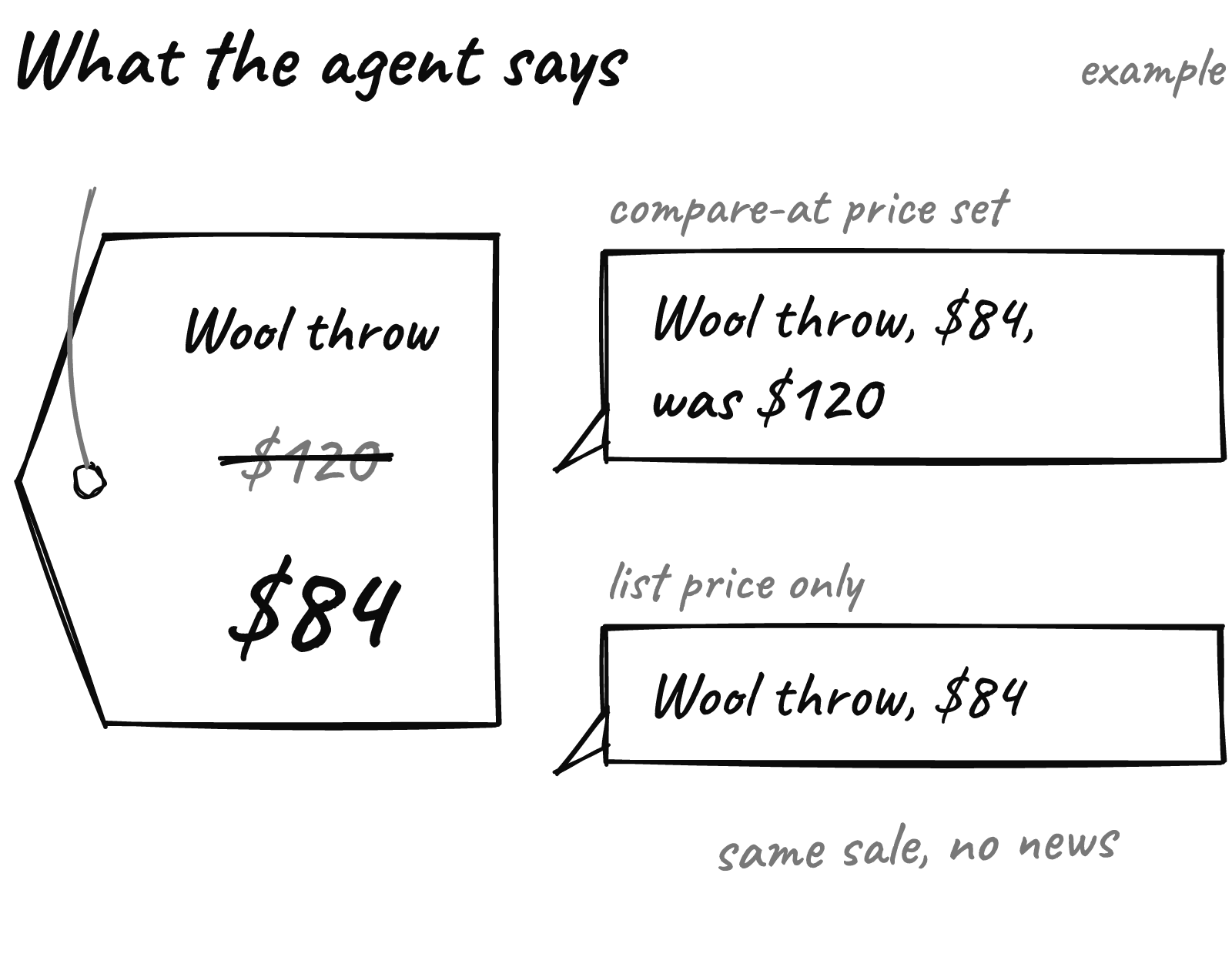
The doc doesn’t say which option is the default, or how discount codes are treated. So open that setting and check it, and put a real compare-at price on anything you want agents to show as on sale.
Shopify warns that changes there take a while to process. Do it now, not on Thanksgiving.
Your apps are on a clock, and the first date is Thursday
On November 5, Shopify told developers that every public app calling the Admin API needs an IP allowlist, so a leaked token “can’t be used anywhere but your own servers” (developer blog).
That’s the developer’s job. But two dates land on your store.
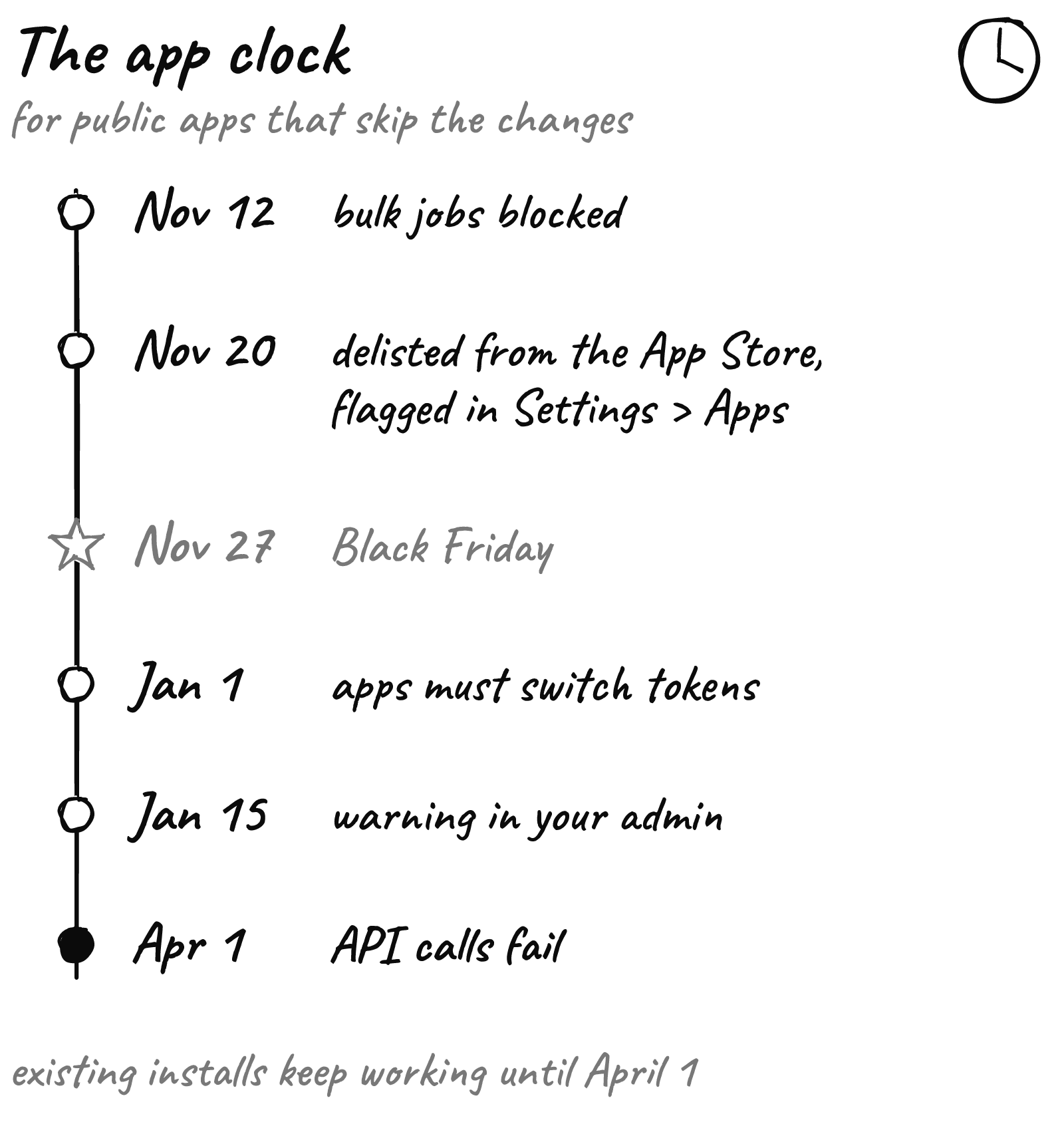
November 12. Bulk queries and mutations from public apps without an allowlist get blocked. Bulk operations are how apps move large amounts of data at once. Shopify’s post doesn’t limit this to new installs, so assume it can touch yours.
November 20. Apps without an allowlist are delisted from the App Store and flagged in Settings > Apps. Existing installs keep working until April 1, 2027.
A second deadline follows: expiring offline access tokens by January 1, 2027, with the same path to failed requests on April 1.
Outside of bulk jobs, nothing should switch off this season. November 20 simply hands you a list of vendors who are behind, a week before your biggest weekend.
The checkout hijack we traced last week used a different door, but the lesson holds. Every installed app is a key to your store, and fewer keys means less risk.
Three quiet settings pay off in January
These go in the first pile because they change nothing a shopper sees.
Annotate your sale. In Analytics > Reports, open a report with time as the first dimension, click Annotations and add one for each promo the day it launches (how it works). In January you’ll know which spike was which email.
Look at what got blocked. On Shopify Payments, some high-risk checkout attempts are stopped before they become orders. They sit in Orders > Abandoned checkouts, under the Blocked view, per Shopify’s fraud doc.
Turn on passkeys. Staff can now set up a passkey at sign-in, a faster and safer login for anyone who can touch your admin.
Tonight: one annotation per promo, starting with whatever goes live this week. January you will thank you.
January gets the big, good stuff
Most of the Edition lives here, and some of it is very good.
- Canvas edits your whole store in one view, with Sidekick doing the heavy lifting.
- The storefront agent answers shoppers in chat, recommends products, starts checkout and hands off to staff through Shopify Inbox. Shopify says signed-in Shop customers convert up to 1.5x higher in those chats. That’s Shopify’s number, not ours.
- Rollouts schedule a theme, checkout settings, catalogs and discounts as one launch, and catalog prices roll back when the promotion ends. That’s next year’s Black Friday in one place.
- Checkout changes: custom fields and tiled payment options are “rolling out soon,” and a stacked form layout is “coming soon.”
- The Shopify Protect app, with custom fraud rules you can backtest against past orders, is also listed as rolling out soon.

Why wait? Change checkout two weeks before your biggest weekend and you get no quiet week to see whether it helped. In January, traffic settles and a test can tell you something. That’s the work we do after the rush.
Skip these, unless you’re the exception
Good features, built for other stores. For a US brand selling mostly at home, they belong in someone else’s pile:
- Right-to-left store languages: Arabic, Hebrew and Urdu.
- DHL Express labels for businesses in the UK, France, Italy, Germany and Spain, and pickup points for UK stores.
- New in-store payment methods such as Alipay, WeChat Pay and GrabPay.
If one of those is your growth plan for 2027, move it to January.
What to do this week
- Open Sales channels > Agentic > Knowledge Base and approve or fix every returns and gift fact.
- Check the List price setting on the Catalog channel mapping page.
- Email your feed, inventory and reporting app vendors today and ask if they meet Shopify’s November 12 allowlist date.
- On November 20, open Settings > Apps and write down every flagged app.
- Add an annotation for each promo as it goes live.
Black Friday rewards stores that change a few right things and leave the rest alone.
Want a second pair of eyes before the rush? Send us your store URL and within 24 hours we’ll send back a free report on your speed, checkout and conversion.