Run a Black Friday pre-mortem before the traffic shows up
Pretend it's Saturday and Black Friday went wrong. Write down why today, then spend the quiet week fixing each line.


A Black Friday pre-mortem is one short meeting where you assume the weekend already went wrong, then write down why. You walk out with a list of failures while there’s still time to prevent them.
Black Friday is November 27. That’s 13 days.
The method comes from Gary Klein, who wrote it up in Harvard Business Review in 2007. The team pictures a project that “has just failed” and works backward to the reasons.
The wording does the work. “What could go wrong?” invites polite answers. “Why did it go wrong?” invites specific ones.
So here’s ours, for an imagined Shopify store. None of it happened. All of it can.
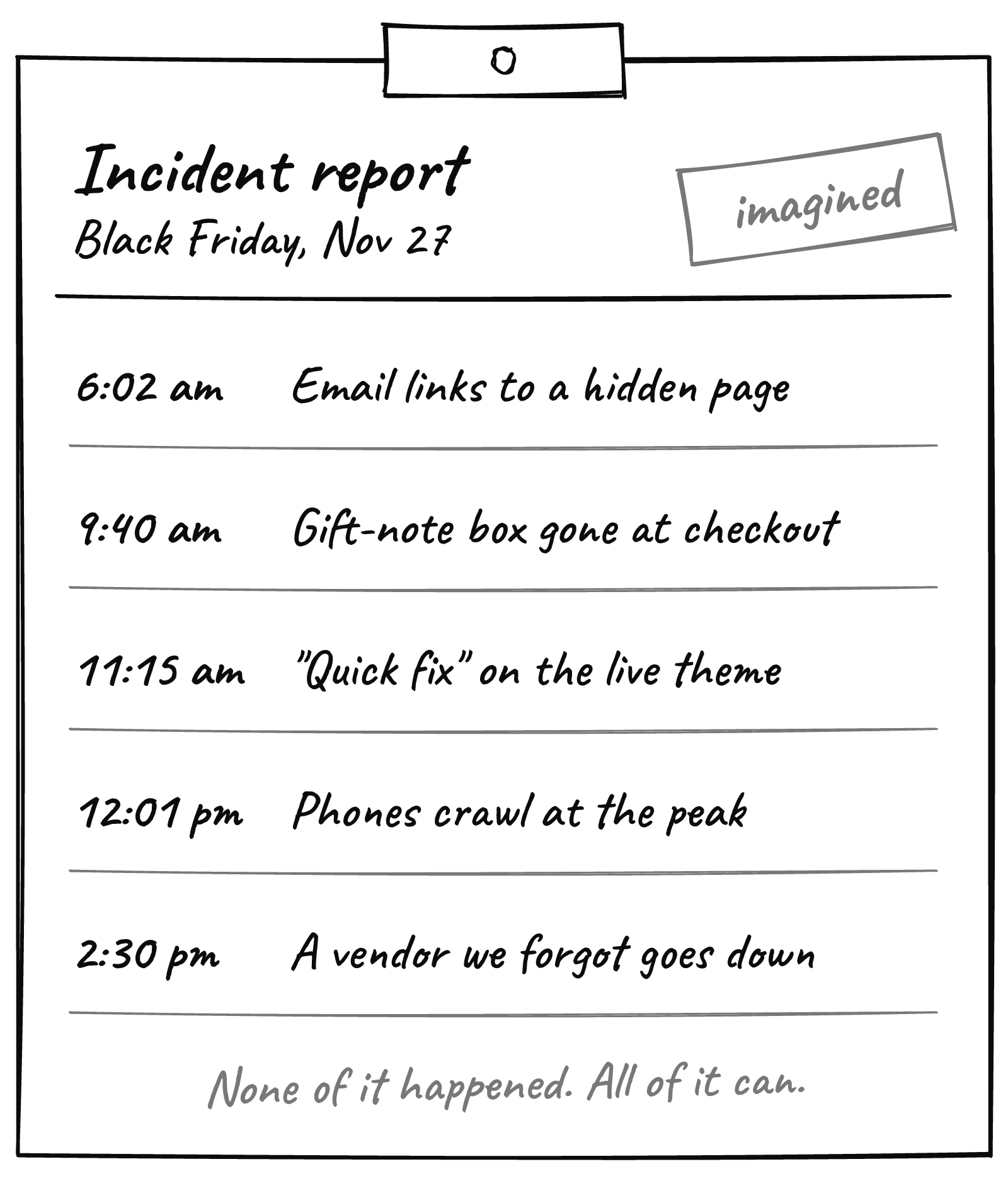
6:02 a.m. The early-access email opens a page nobody can see
The email was scheduled last week. The collection it links to goes live at 9.
For three hours, your most loyal customers tap through to a page that isn’t there yet.
The same goes for a discount code that starts later than the email announcing it, or an SMS that points at last year’s sale.
Check this week: open every scheduled email and text on your phone, signed out, and tap every link. Then put each discount’s start time next to the send time of the message that announces it.
9:40 a.m. The gift-note box quietly disappears from checkout
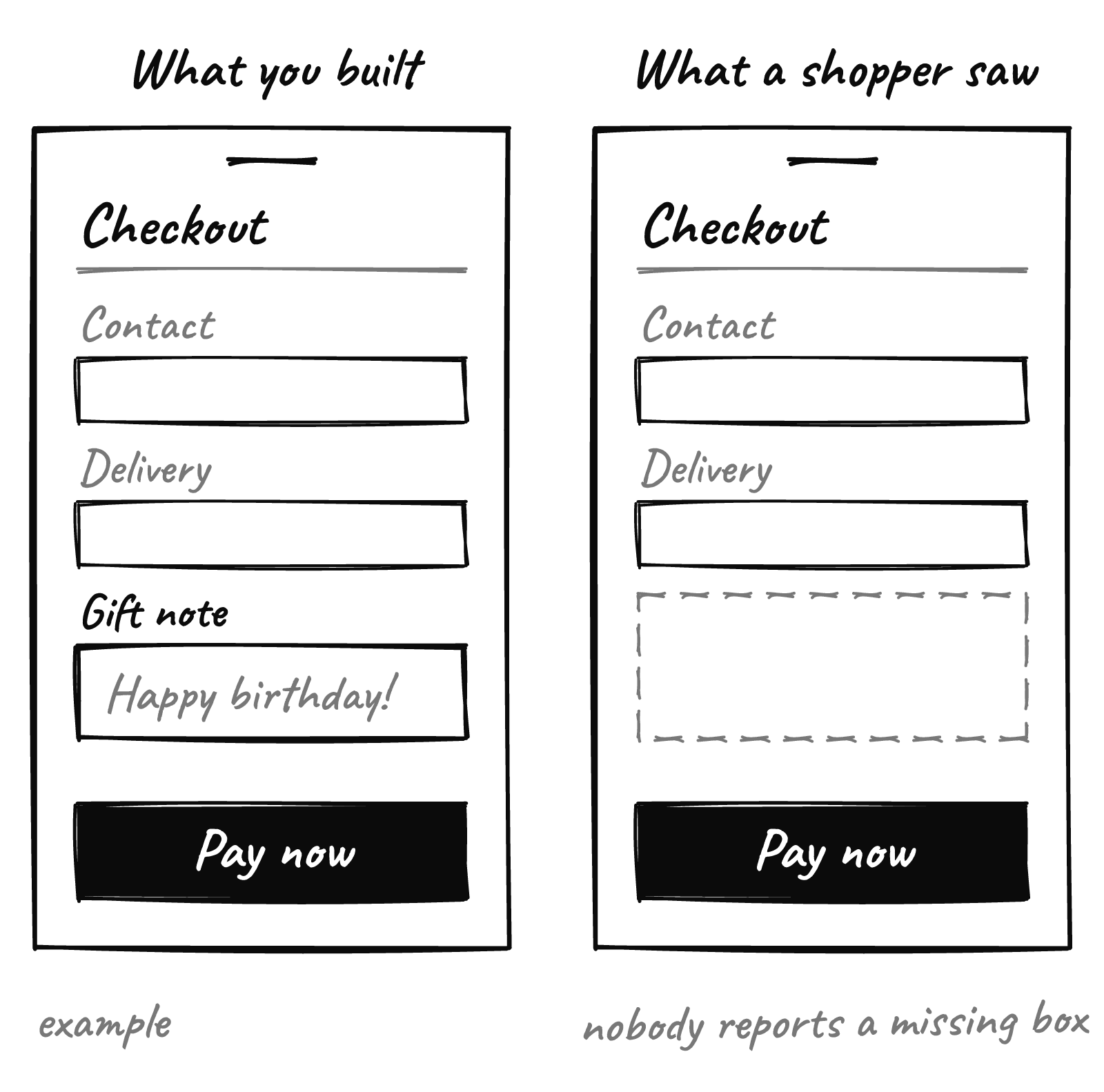
On November 6, Shopify started showing app developers how often their checkout extensions fail to load, and on which stores (Shopify’s changelog). Extensions are the add-ons inside checkout: gift notes, delivery dates, upsells.
When one fails, Shopify says, buyers don’t see the experience the app built.
The shopper never knew it was supposed to be there. So nobody reports it.
Ratings and admin alerts for store owners are “coming soon,” per the same note: a warning when more than 5% of loads fail for three days, and critical above 50% for two. Soon may not mean before Black Friday.
Check this week: list every app that adds something to your checkout. Email each vendor one question: what’s our store’s mount failure rate in your Dev Dashboard this month? If you’d rather have someone read those logs for you, that’s the work we do.
11:15 a.m. Someone makes a “quick fix” on the live theme
The banner has a typo. Someone opens the editor, fixes it on the live theme, and a section slips out of place on phones.
We suggested freezing your store on November 13. A freeze only holds if one named person can say no, and a way back is ready.
Shopify lets you duplicate a theme: in Online Store, open the theme’s ⋯ menu and click Duplicate. Keep a copy of today’s live theme, and publishing that copy puts the design back the way it was.
A theme holds your design, not your products or prices, so rolling back won’t undo a price change.
Today: duplicate your live theme and rename it “Backup Nov 14”. Rolling back becomes one publish.
12:01 p.m. The busiest minute arrives, and phones feel it first
Last Black Friday, sales across Shopify peaked at 12:01 p.m. Eastern, at $5.1 million a minute, per Shopify. Shopify plans for that minute. Your theme, apps and tracking scripts are on you.
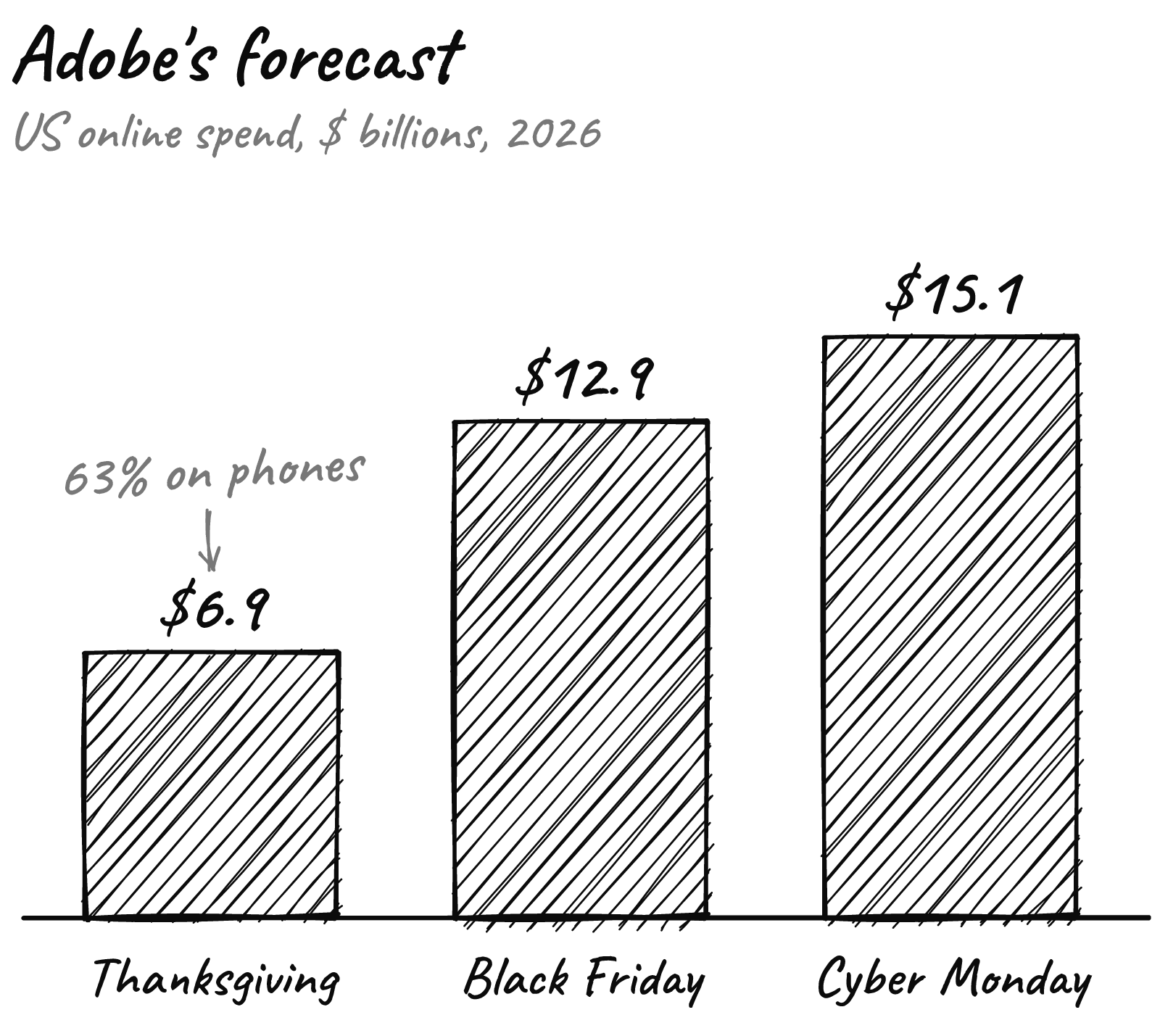
And most of the visits come from a phone. Adobe forecasts a record 63% of Thanksgiving online spend will come through mobile devices, against 57.4% for the whole season.
Check this week: on your own phone, over cellular rather than office Wi-Fi, load the homepage, your best seller and checkout. Then buy something real and refund it. Anything that feels slow goes on the list to fix or switch off before the 27th.
2:30 p.m. A vendor you forgot you use goes down
On November 18, 2025, Cloudflare’s network started failing at 11:20 UTC, and visitors to sites that rely on it saw error pages. Core traffic was largely back by 14:30 UTC. Cloudflare’s own write-up traced it to a database permissions change, not an attack.
The lesson isn’t about one company. Your store leans on a chain of other people’s systems, and any link can have a bad afternoon.
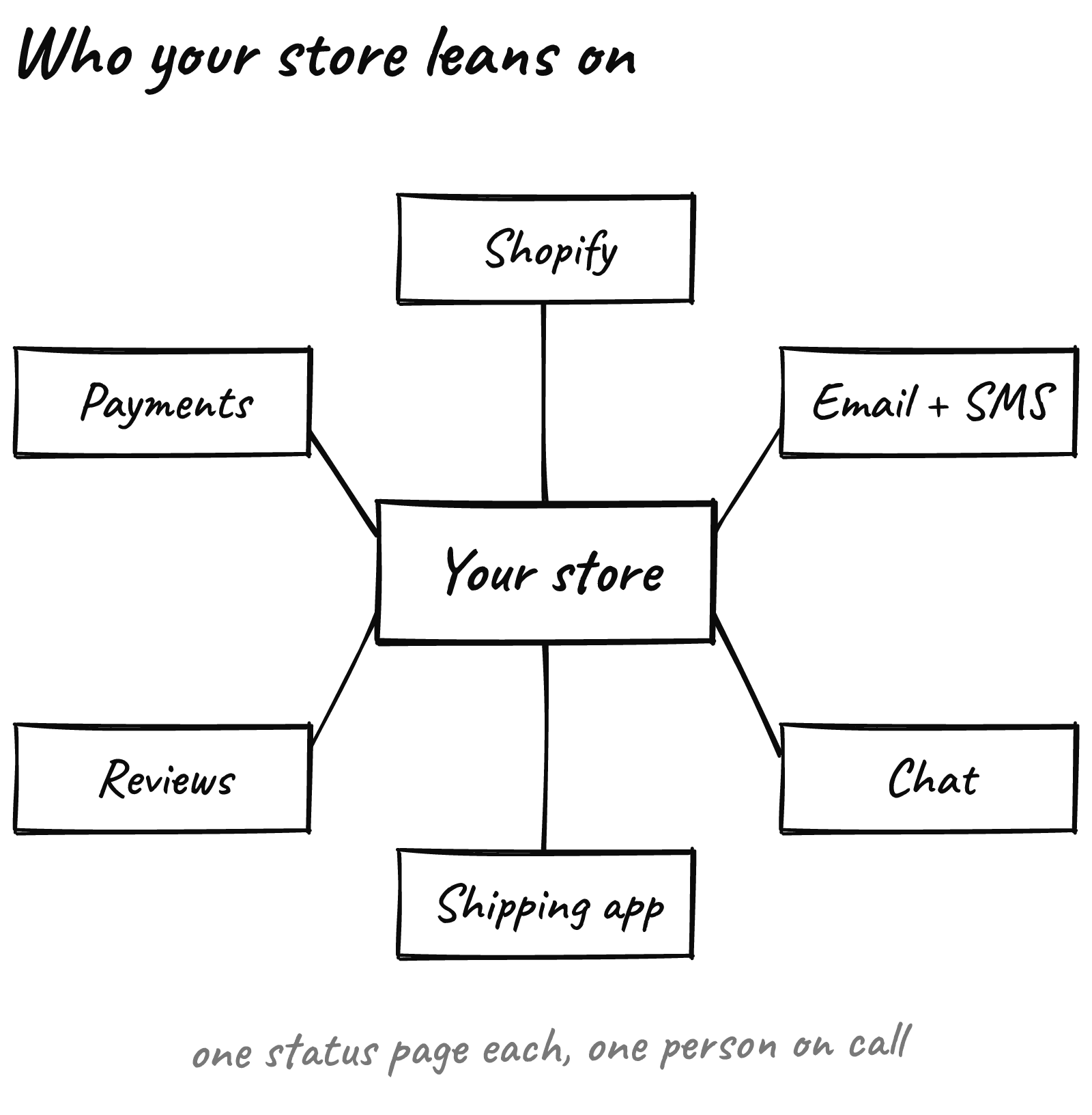
You can’t prevent their outage. You can hear about it in minutes, instead of from a customer.

Check this week: list every service in that chain and subscribe to each status page, starting with Shopify’s. Then decide who pauses the ads if checkout breaks.
Run yours on Monday, in 45 minutes
Our report is a starting point. Yours will be better, because your team already knows where your store is fragile.
- Book 45 minutes on Monday, November 16. Invite whoever runs ads, email and support, plus anyone who can touch the theme.
- Set the scene. “It’s Saturday morning. Black Friday went badly. What happened?”
- Write alone for five minutes. One failure per sticky note, each with a time of day.
- Read them out in turns, one note each, until nobody has any left.
- Give every note an owner and a check finished by Friday, November 20. A fix that needs new code waits for January, unless it repairs something broken.
Bring whoever answers support tickets. They already know where your store breaks.
Keep the list. On December 1, hold it up against what really happened.
The cheapest incident report is the one you write before the incident.
Want an outside read before the rush? Send us your store URL and within 24 hours we’ll send back a free report on your speed, checkout and conversion.